Type your new signature text (this can be done for all accounts or on a per account basis).
Select Mail.
Add formatting, imagery and dynamic HTML in your iPhone signature
Note: This will also work if you’re using an iPad.
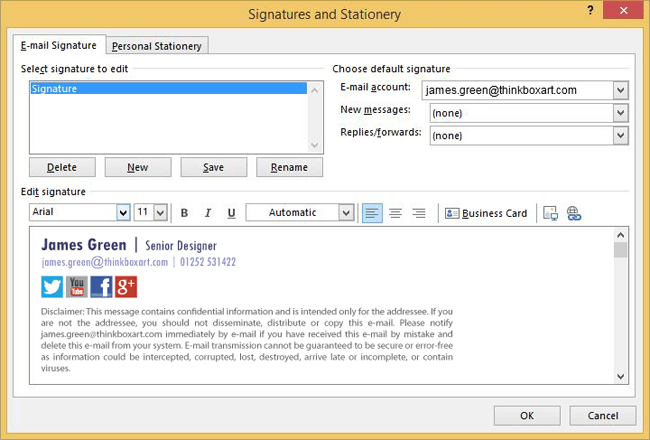
Create your email signature in an email client that supports HTML e.g. Outlook or Gmail. Make sure you add content such as your logo, social media icons and legal disclaimer.
Send a blank message with the new HTML email signature to your iPhone.
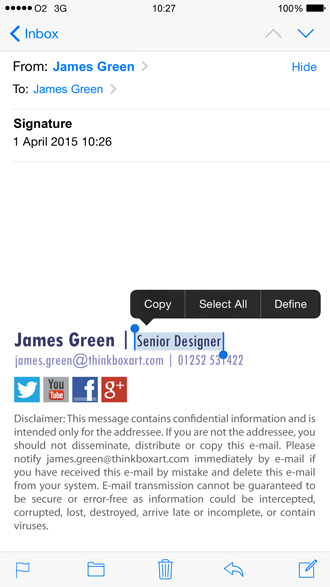
Open the email you sent to your iPhone. Find a part of the signature text that is not a web or email link. Press and hold this text.
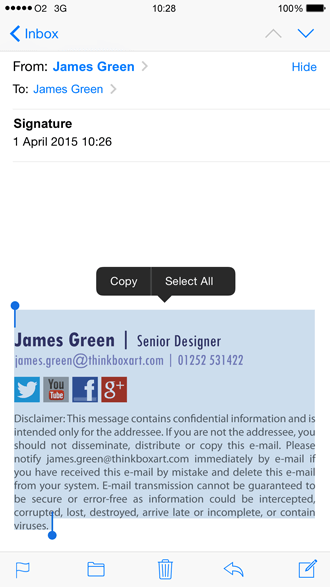
The context menu will appear over the text. Tap Select All, then Copy.
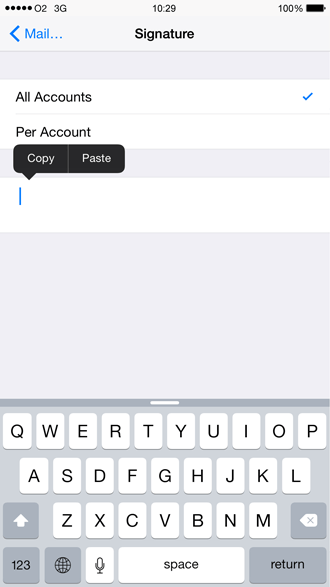
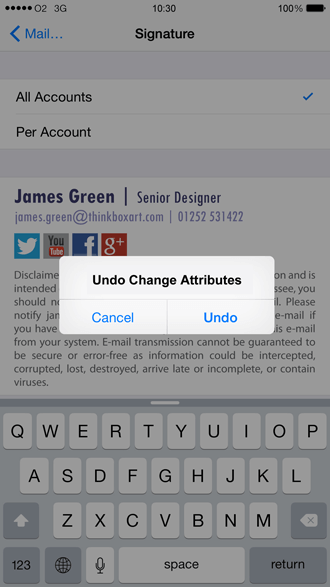
Go into the iPhone email signature editor by going to Settings > Mail, Contacts, Calendars > Signature.
Delete any text, tap and hold the screen until the context menu appears, and select Paste.
The new email signature will now appear in the editor. The original formatting will have been lost and it will appear slightly altered – this is normal so don’t panic! iOS automatically adds its own coding to the HTML source of the email signature. All you have to do is shake your iPhone to trigger the Undo Change Attributes context menu and select Undo.
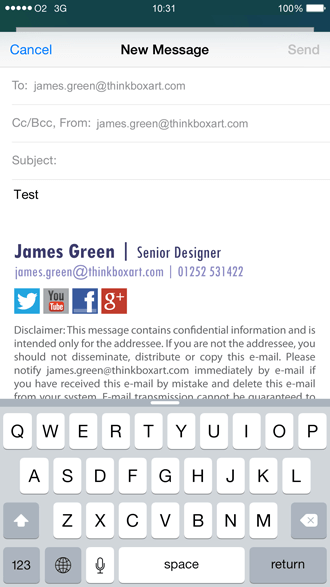
You’ve now successfully removed the additional iOS formatting.Go into the iPhone Mail app to see your new HTML email signature in all its glory. You’ll want to test it thoroughly before sending out any emails to other recipients.
This process only works for one mobile device at a time.